

Runtime Model
The plugin system has three core parts:- Plugin: A developer-built plugin that extends NOTE/DOC capabilities. It does not run inside NOTE/DOC directly; PluginHost loads and schedules it.
- PluginHost: Manages plugin install/uninstall and lifecycle, and provides the React Native runtime. Plugin logic runs in PluginHost and interacts with NOTE/DOC through standard interfaces.
- Plugin-enabled App: Host apps that support plugins. Currently NOTE and DOC. They read plugin metadata from PluginHost, show plugin buttons in the toolbar and lasso toolbar, and dispatch plugin events.
Installation Flow
The overall installation flow: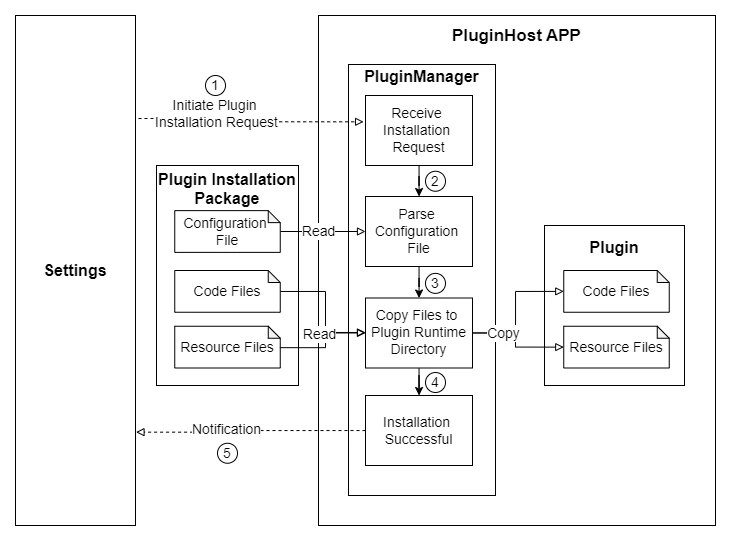
- Open Settings -> Apps -> Plugins
- Select a plugin package and tap “Install”
- NOTE/DOC sends the package to PluginHost
- PluginHost parses the config inside the package, installs it, and copies code/assets into the plugin runtime directory
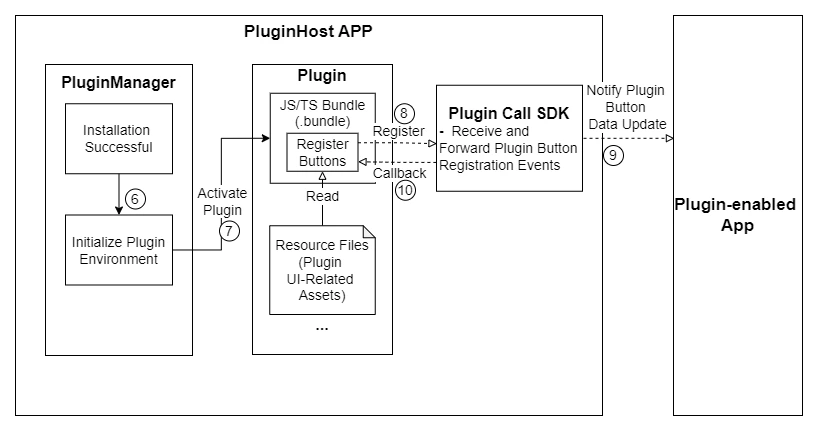
- PluginHost initializes the React Native runtime
- PluginHost activates installed plugins and runs their JS/TS entry logic (plugin initialization + button registration)
- PluginHost syncs registered button metadata to NOTE/DOC, and NOTE/DOC renders the buttons in the corresponding locations
Event Handling Flow
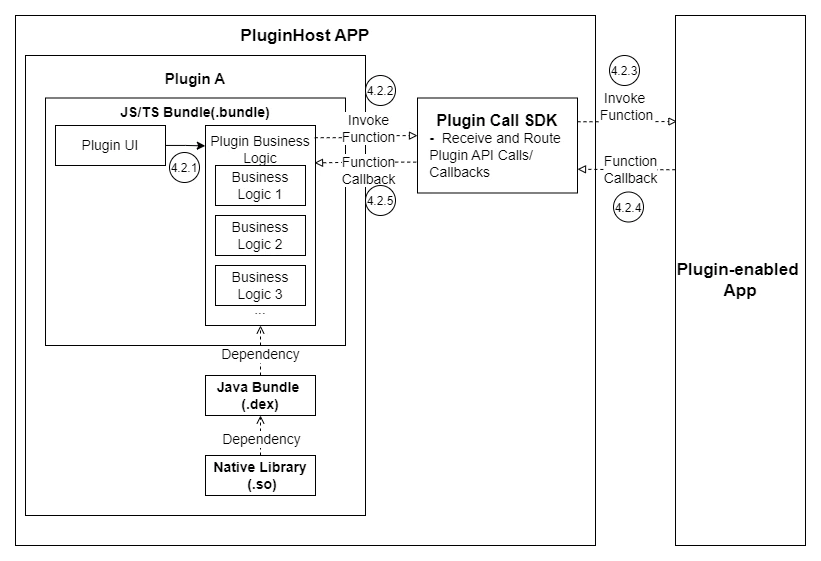
After a plugin is installed and running, NOTE/DOC will show its plugin buttons. Tapping a button sends an event to the corresponding plugin: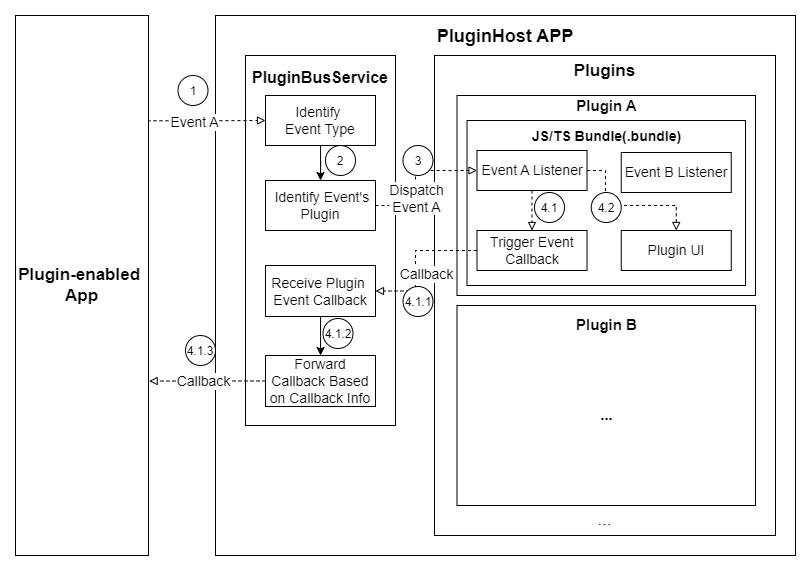
Related Docs
- Local development setup: Environment Setup
- Plugin development and packaging: Your First Plugin